
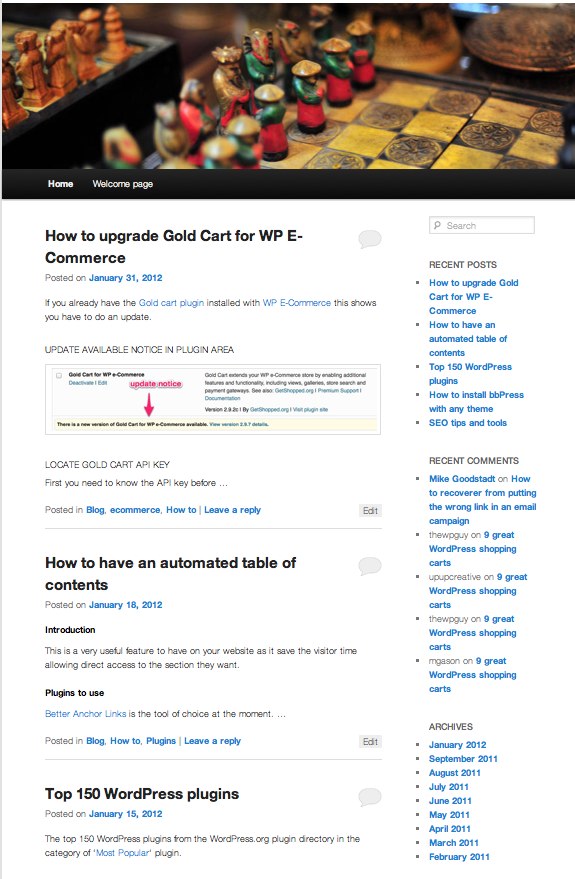
Out of the box the current default theme after installing WordPress shows all of your posts in the long format.
To change the theme to just show a short summary as per the screenshot below read on….
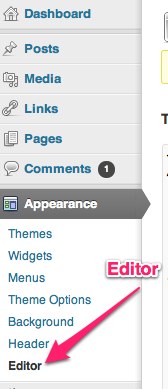
Go to the Dashboard -> Appearance -> Editor
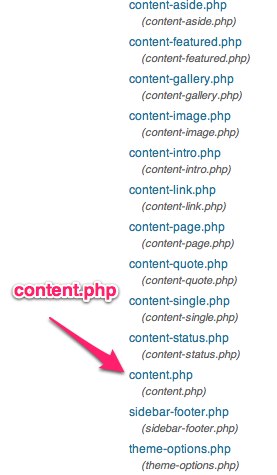
Now edit the file called content.php by selecting it from selection on the right
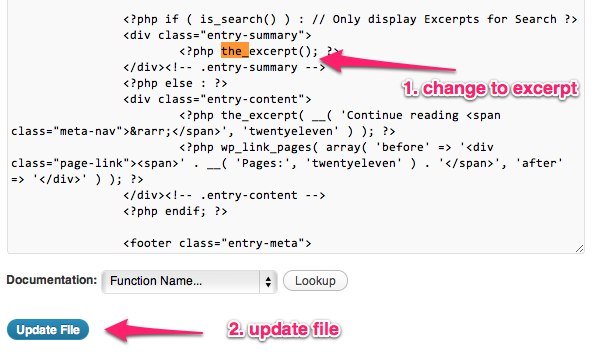
Search for the term ‘the_content’ using ‘Ctrl + F’ on a Windows PC or ‘command + F’ on a Mac
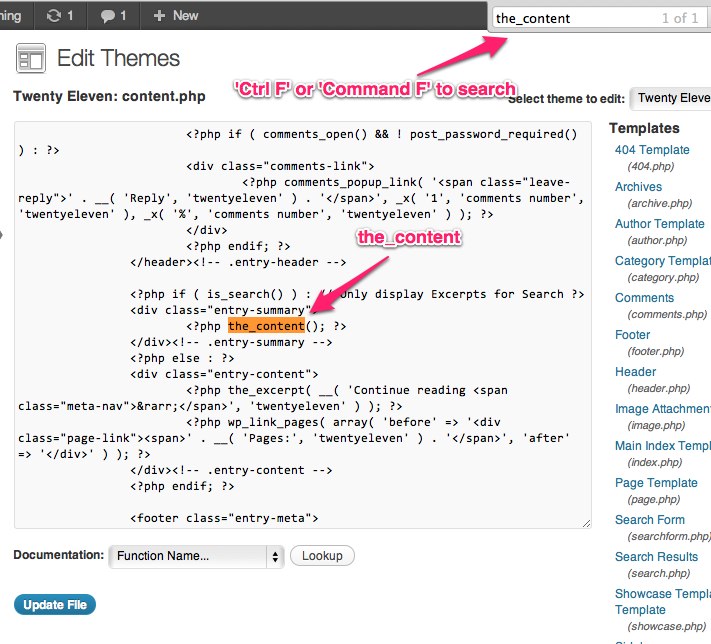
Now replace the word ‘content’ with ‘excerpt’ and click on update file.
All done, now post pages with have the excerpt.

I’ve been building WordPress websites for over a decade, spoken at conferences around the world, and taught countless people how to build and maintain their sites.
I know its a jungle out there finding the right people for website development.
But I’m here to help.
Author Profile – Tony Cosentino